
The apps
Your phone is on silent. The pager isn't.
Pingtower's native iOS app is a real pager: critical alerts sound through Silent mode and Focus — a permission you grant once — and one swipe acknowledges the alert and stops the escalation ladder.
On Android? Download the beta APK. On a Mac? Get the menu-bar app.
1.0Every screen
One tower. On every screen you use.
Set it up on the web, get paged on your phone, and keep your open alerts in the menu bar. One account, the same alerts, everywhere.
Get the app →Public beta · TestFlight
iPhone — the pager
Push alerts that sound through Silent mode, one-swipe acknowledge and the live logs behind every alert. iOS 17 or later, free.
Open now
Web — the control room
Add checks, write rules, publish a status page, work incidents, connect Slack, Telegram or Discord, and set who's on call, all in the browser. No developer needed.
Beta · direct download
Android
Push alerts, ack and resolve, and the live logs behind every alert, built on the iPhone app's blueprint. Android 8 or later, free.
Beta · direct download
Mac
Pages on your desktop: a menu-bar app with your open alerts. Click a notification and the web app opens at the alert. macOS 14 or later, free.
2.0Why an iPhone app
A pager first. A full console second.
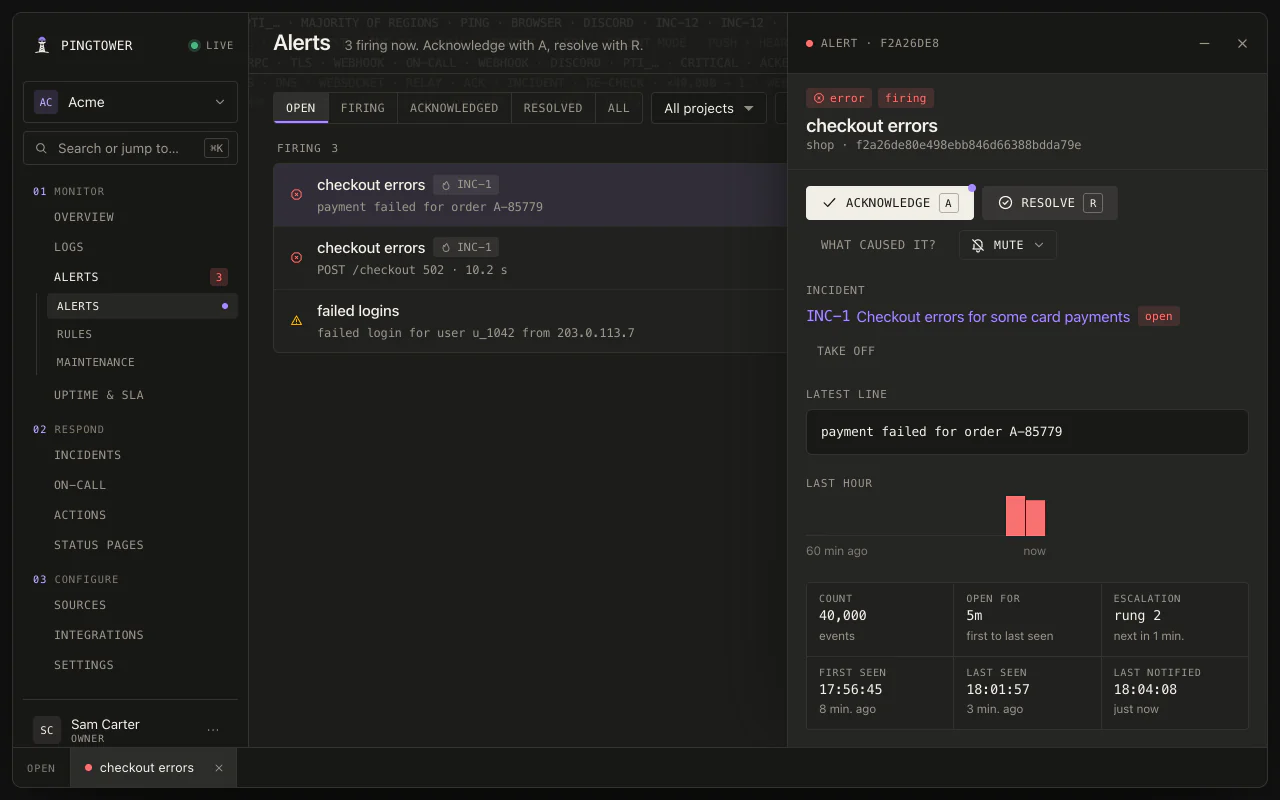
Every alert carries its story: the level, the running count, first- and last-seen times, the recent log lines, and where it sits on the escalation ladder. Ack it to stop the paging; resolve it when it's fixed.
The iOS app →From first page to resolved, without opening a laptop
The page rings through the silent switch; the alert opens with its log tail and its place on the ladder; one swipe acks it for everyone. Open an incident, write the update, and resolve it with the cause and fix.
2.1
Breaks through Silent mode
Critical alerts sound through the silent switch and Focus modes — an Apple permission you grant once — so the page that matters reaches you when everything else is muted.
2.2
One swipe stops the paging
Swipe an alert to acknowledge it and the escalation ladder stops for everyone; swipe again to resolve when it's fixed. No hunting for the right dashboard at 3 a.m.
2.3
A live feed, not a refresh button
Alerts land in the app in seconds, with running counts, escalation state, and the recent log lines behind each one.
2.4
The whole product, in your pocket
Checks, rules, incidents, maintenance windows, on-call, status pages, uptime reports, secret findings, your team — a full console over the management API, not a read-only viewer.
2.5
On-call aware
The push goes to the phone of whoever is on shift — layered rotations, overrides, and all. Off shift, your phone stays quiet and someone else's rings.
2.6
Native SwiftUI, iPhone and iPad
Built native, not wrapped — fast lists, proper dark mode, and an iPad layout that makes it a real ops screen. Belong to several orgs with one account and switch between them.
3.0The web app
Set it up on the web. No code.
The web app is where you tell Pingtower what to watch and who should hear about it. Paste a website's address, write a rule in plain words, connect Slack, Telegram or Discord, publish a status page, and invite your team.
Open the web app →Your team, right now
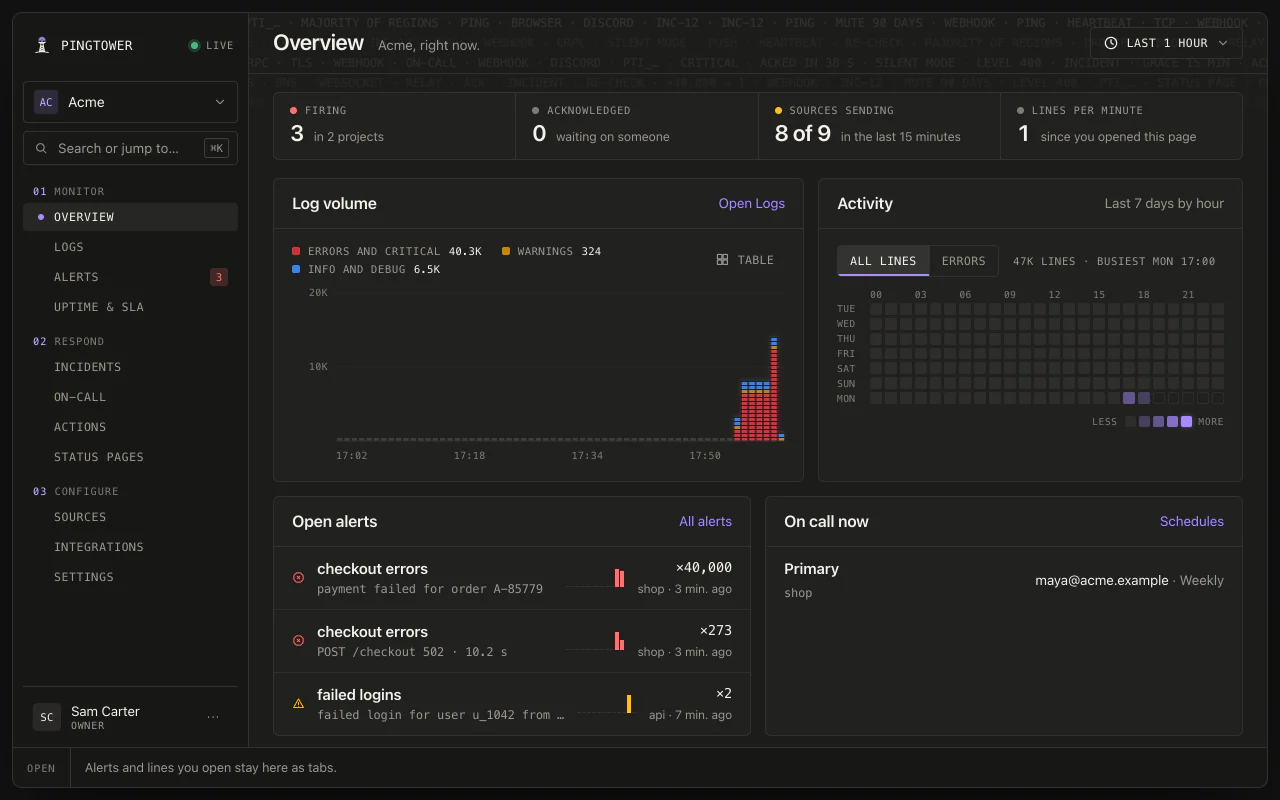
What's firing, what's acknowledged, which sources are sending, the last hour of log volume, and who is on call — the first screen you see.
Rules, ladders and on-call
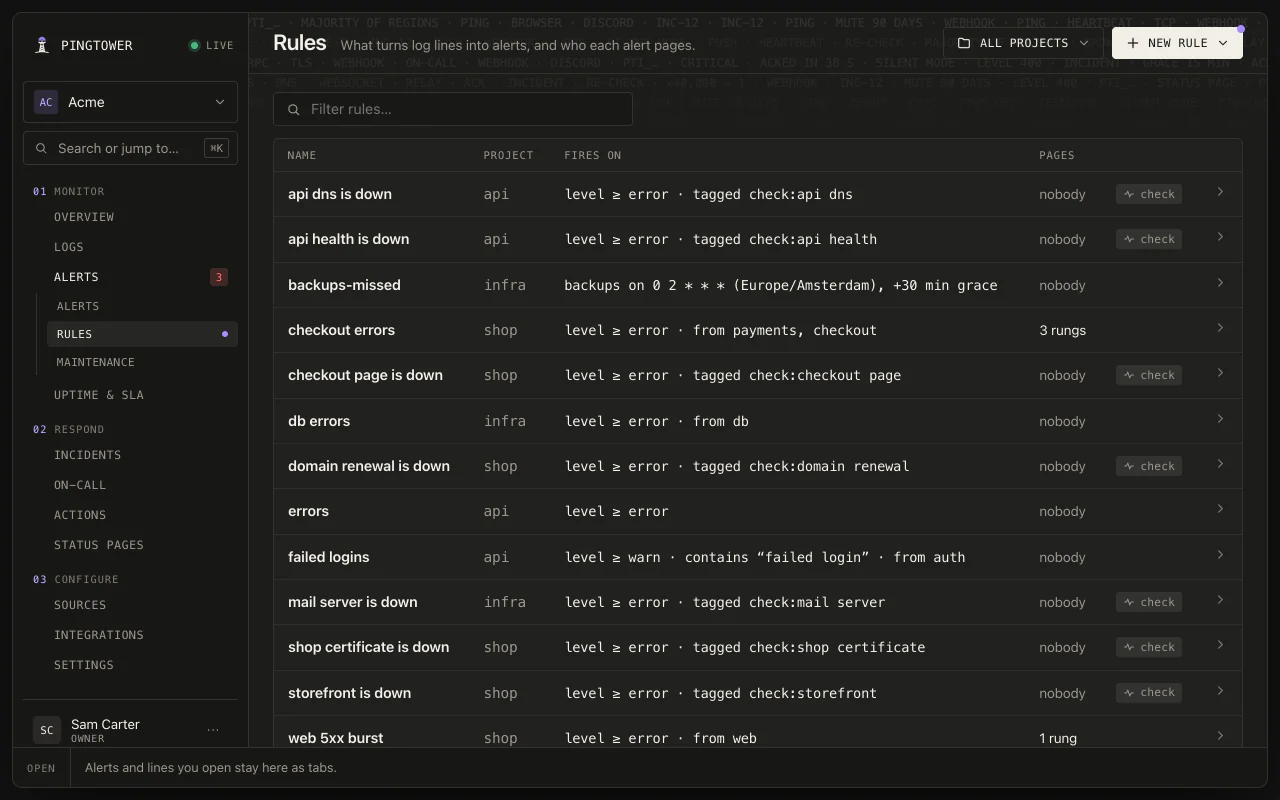
Website, certificate, domain, server and port checks; browser checks from a Playwright script and multi-step API checks; and the rules that decide who hears about them.
Status pages, incidents and uptime
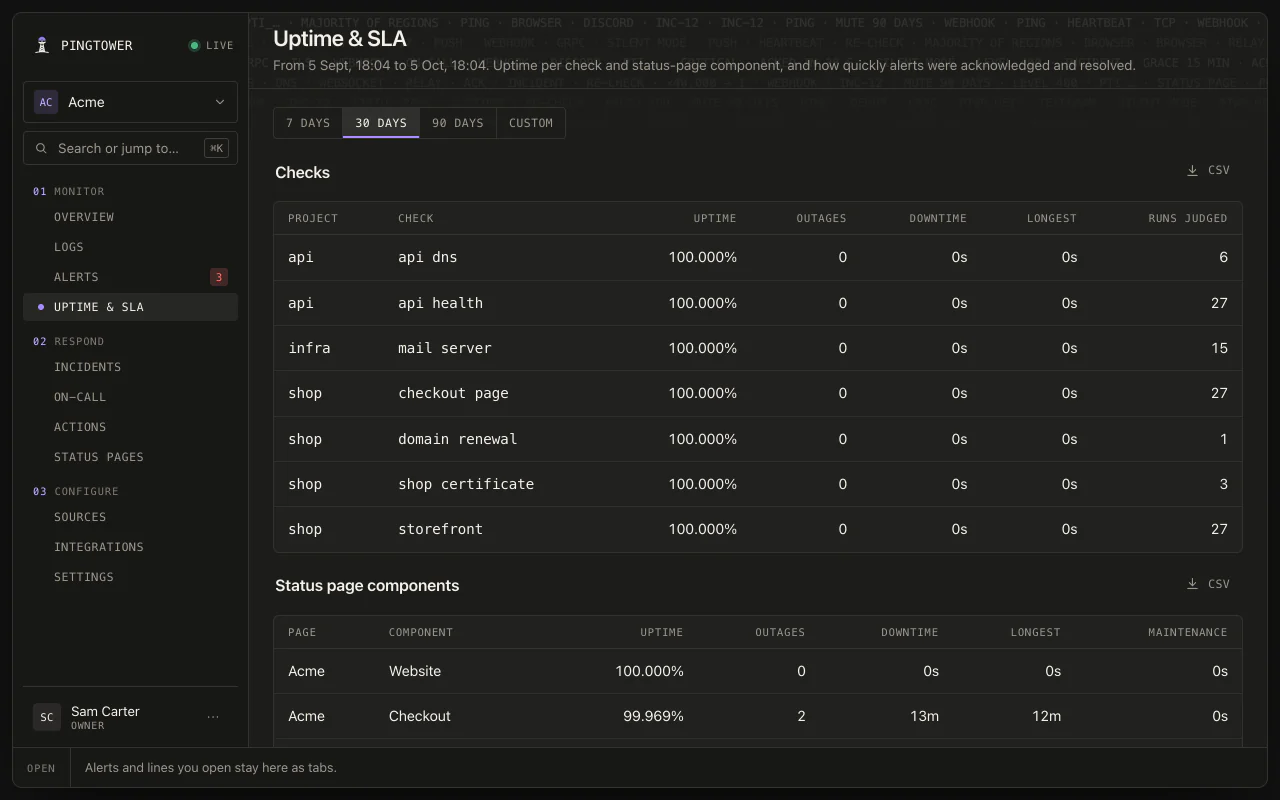
Publish a status page bound to your checks, work an incident with your team, and report uptime per check and component.
4.0Bring your own server
Self-host the tower. Keep the pager.
Pair your box with a pingtower.com account and your self-hosted alerts ring the same phone — because Apple push for the App Store app can only be sent by us.
Relay & pairing →One command, one code
On a SQLite box one command prints a one-shot code you redeem in the app; a PostgreSQL box pairs through the running daemon.
Only the page leaves
Your logs, rules and alert history stay on your hardware; the relay carries the push to the phone.
5.0Get the app
In public beta — open to everyone.
The app is on TestFlight now, and the beta is open to all — no invite needed. Install Apple's TestFlight app, join the beta, sign up, and you're pageable. The App Store release follows.
On Android
The Android app is in beta as a direct download from this site, not on Google Play yet. Download the APK on your phone, open it, and allow your browser to install apps when Android asks. Sign in with your Pingtower account and allow notifications. To have pages ring through Do Not Disturb, let the app's Critical alerts channel override it; the app shows whether it can. When a newer version is published here, the app offers it to you.
Version 1.1.0 · 2.6 MB · Android 8 or later · SHA-256 302b0dc264d166e6331c51b614c4bda9488eaad94d6df6f99c012c6bdf4c6a84
On a Mac
The Mac app is in beta as a direct download from this site, not on the Mac App Store. Open the disk image and drag Pingtower to Applications; it is notarized by Apple, so it opens like any other app. It lives in the menu bar, with no Dock icon. Sign in with your Pingtower account and allow notifications, and pages arrive as desktop notifications: click one to open the web app at the alert, or acknowledge it from the notification. When a newer version is published here, the app offers it to you.
Version 0.1.0 · 2.0 MB · macOS 14 or later · SHA-256 c6a0692be5da44398e9b41bf20d941a6a39384699a540c837a0ce9268e9c0467
On a beta? Tell us what works and what doesn't on Discord, or at [email protected].