Features
Everything between a problem and a human who fixes it.
Checks that watch your website and APIs, rules that turn a flood of errors into one alert, escalation that keeps going until someone answers, and a status page that tells your customers.
1.0Watch
Point it at anything. No code for the basics.
Paste an address and Pingtower checks it from its own servers in multiple regions of the world. When one region sees a failure, the others re-check at once, and by default most must agree before anyone is paged.
Hosted checks →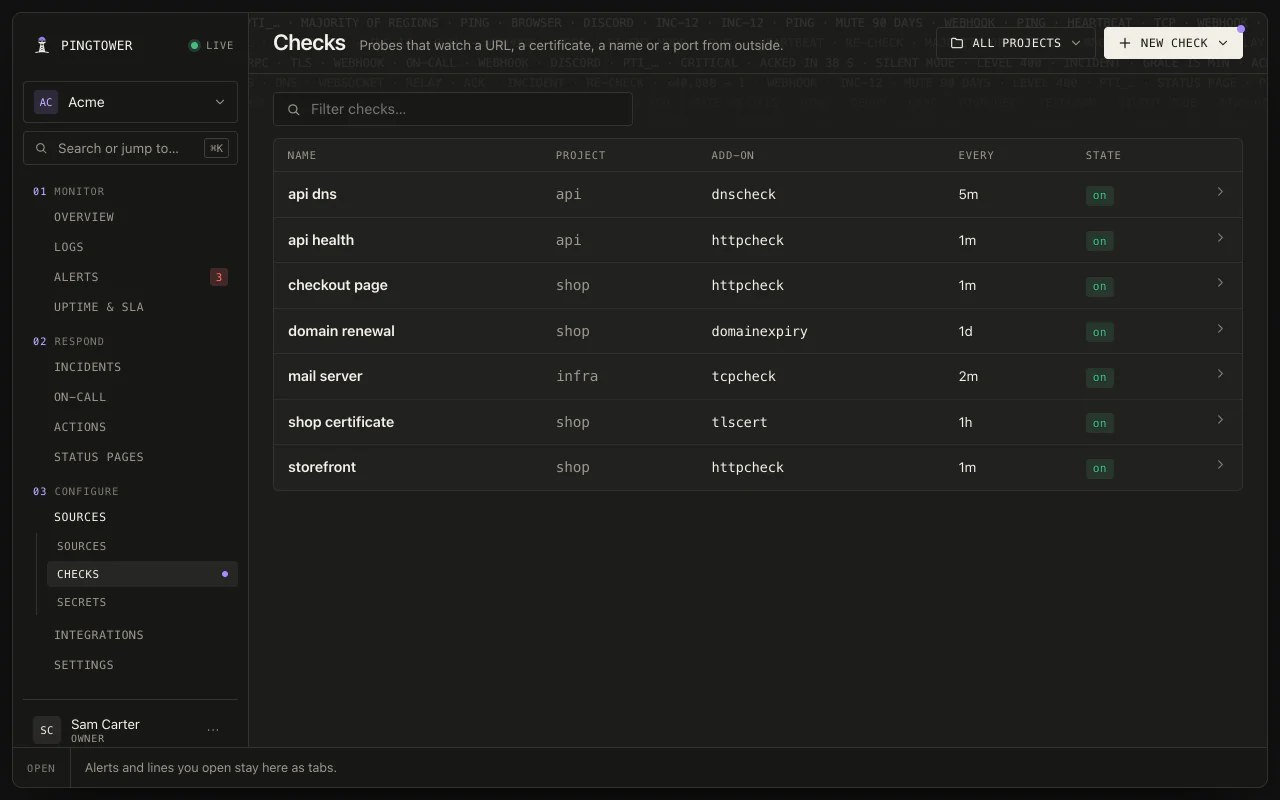
Checked from around the world
Your website, certificate expiry, DNS, a server, a port, a gRPC health endpoint, a WebSocket, and the date your domain lapses. Add them in the web app or on your phone.
Browser checks
Write a Playwright test — sign in, add to cart, pay — and Pingtower runs it in headless Chromium, every run in a fresh gVisor sandbox. Each step is timed, and a failed run keeps its screenshot, video and trace.
API journeys, step by step
Chain up to ten requests and assert on status, headers, JSONPath and timing at every step. Secrets stay sealed at rest — readable by the check, never by anyone reading it back.
Jobs that don't run
Give a cron job its own ping URL. Pingtower knows its schedule, in its own timezone, and pages when a run is missed, reports a failure, or starts and never finishes. A service that stops logging can page too.
Your logs and errors
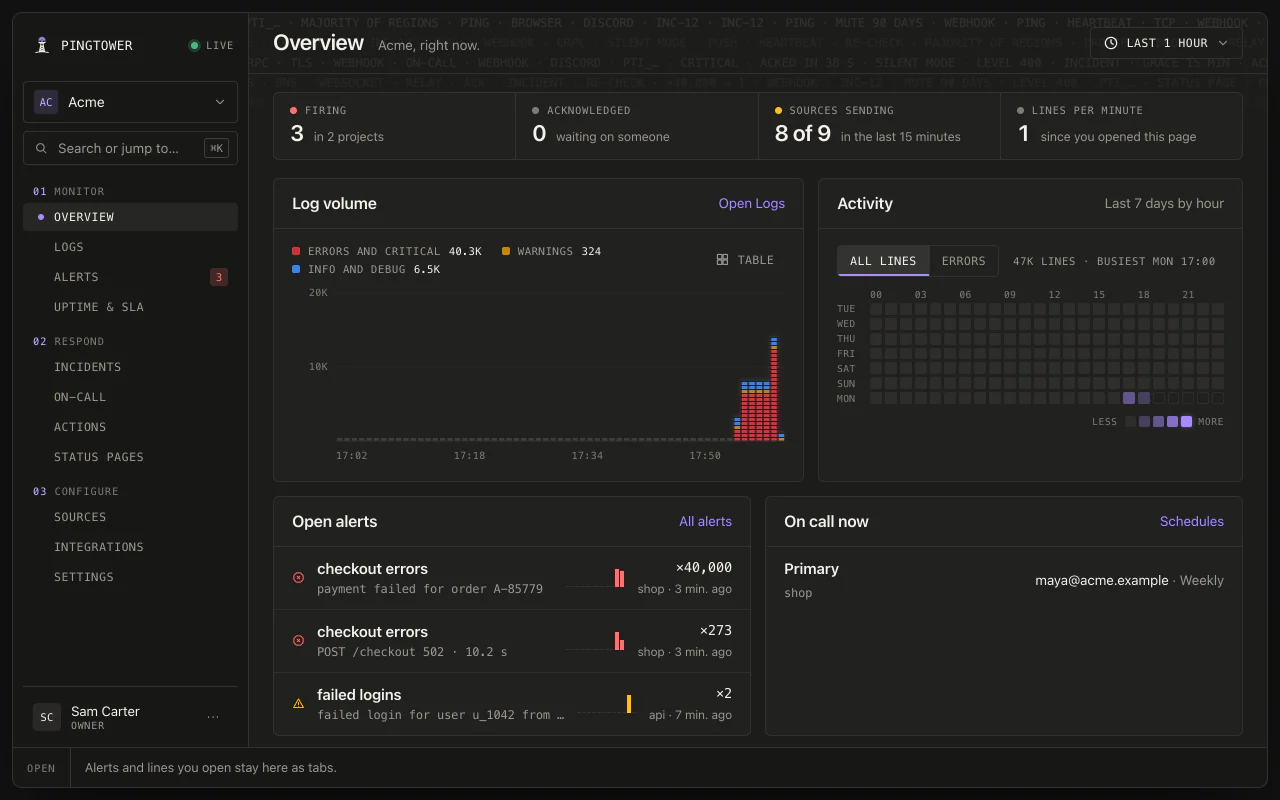
Your apps POST structured log lines to one endpoint — one at a time, or up to a thousand in a batch. Everything is kept for context and search; what matters becomes an alert.
2.0Understand
Built to page you once — and only when it's real.
Pingtower strips the variable parts of each message to recover its shape, so the same failure bumps a counter on one alert instead of flooding a channel. Your rules decide what's worth waking someone for.
Rules →40,000 repeats become one alert
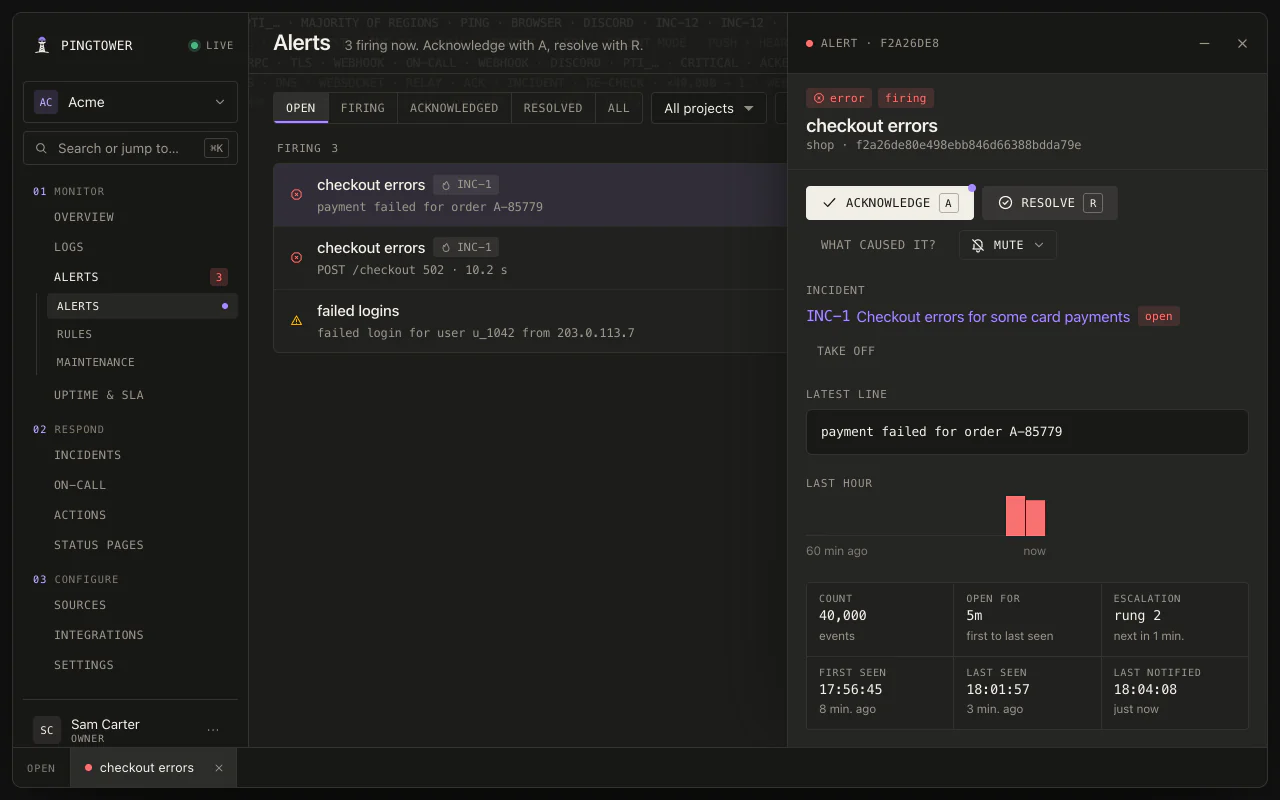
One alert with a counter, the latest line, its last hour at a glance, and the incident it belongs to. Or group by keys like a username, and get one alert per affected account.
Rules you declare, not regex you babysit
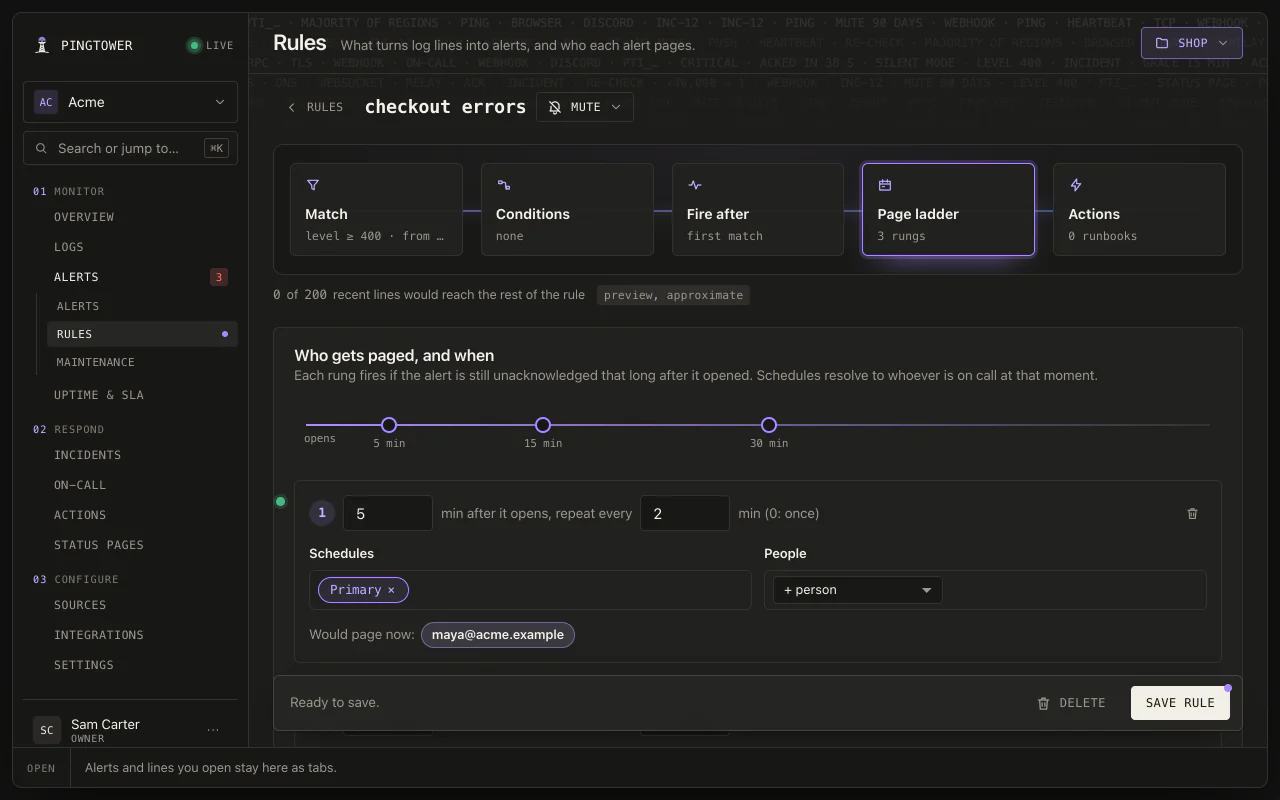
Match on level, source, tags, or message shape; add conditions on structured keys; set thresholds like “fire after 5 hits in 10 minutes” or “only when 3 different sources see it.”
Search every line
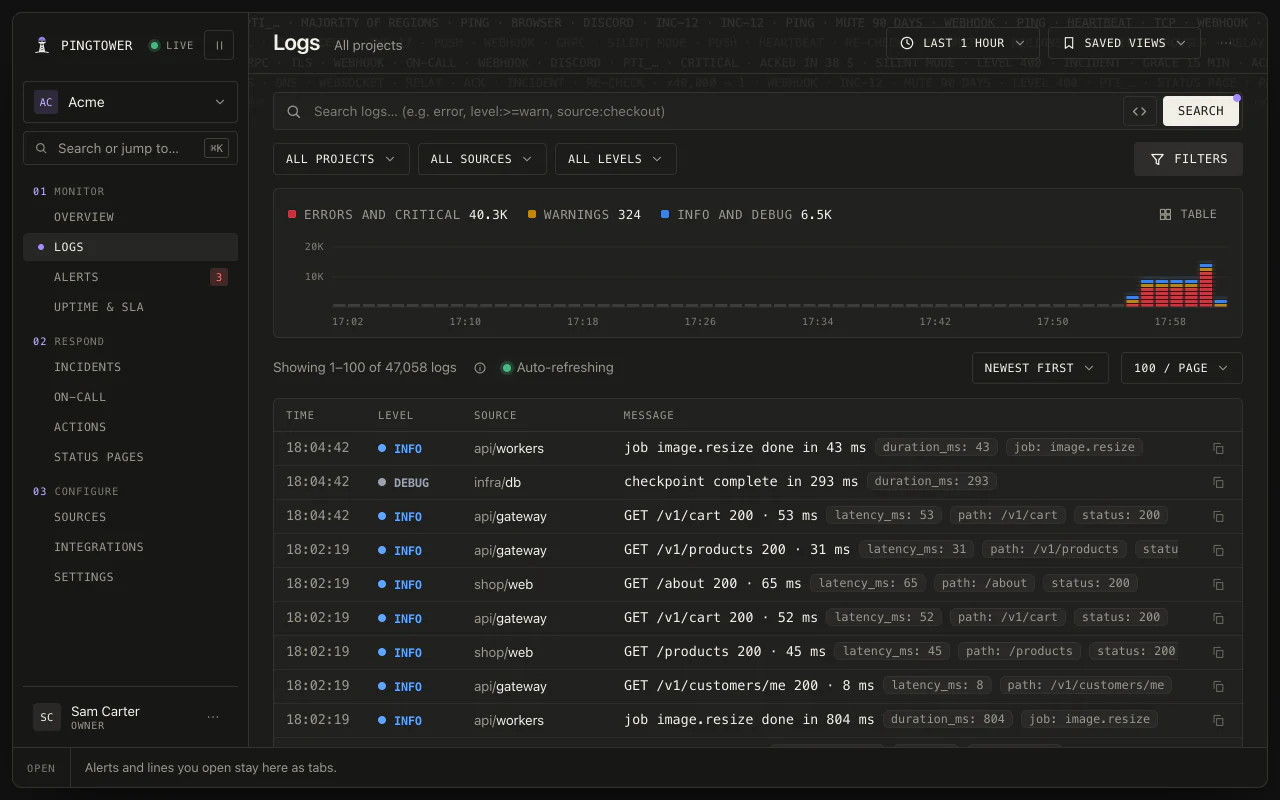
One query across every project: words, “exact phrases”, env:prod, level:>=warn, latency_ms:>500. Counts by source, host and level, the lines around any hit, and saved searches for the whole team.
Quiet on purpose
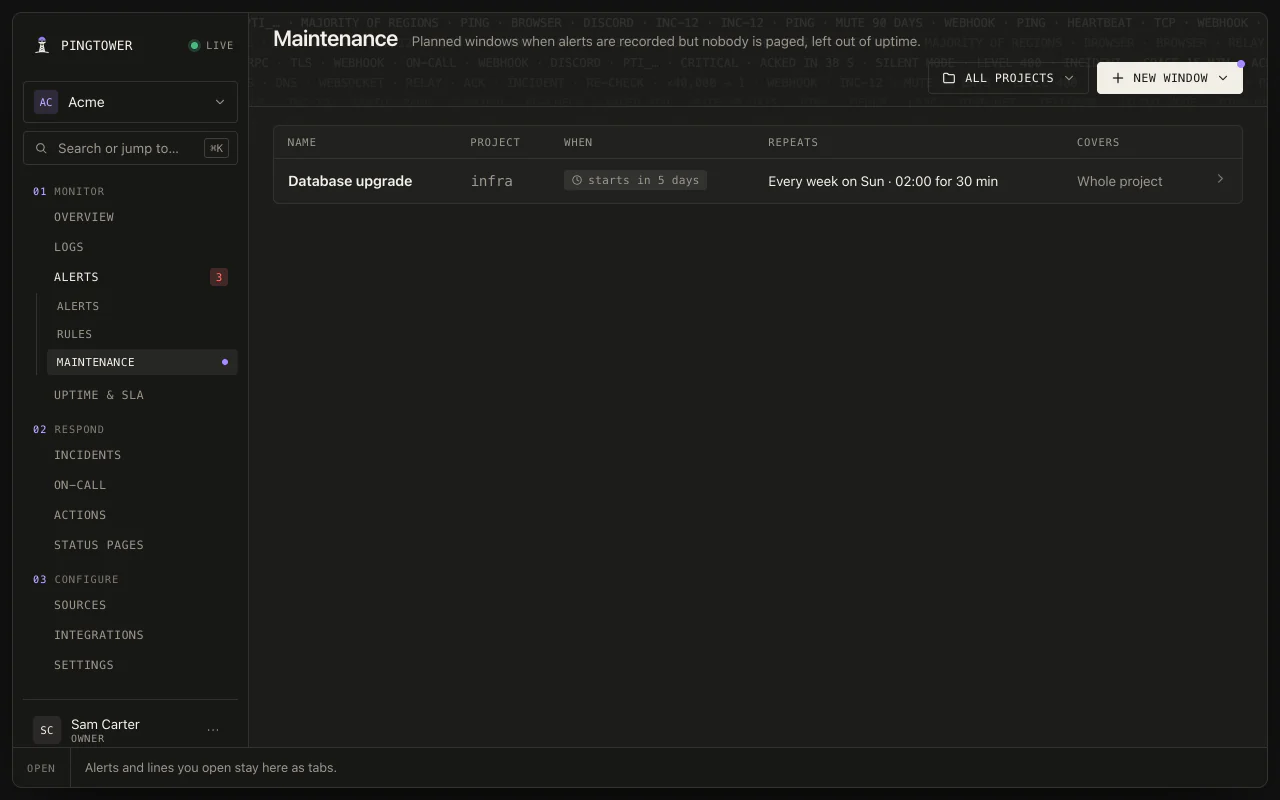
Schedule maintenance once or on a repeating calendar: alerts are still recorded, nobody is paged, and it doesn't count against your uptime. Mute a noisy rule until a time you pick.
Secrets caught at the door
A line that carries a bearer token, a password in a URL, a JWT or an AWS key opens a warning alert that never escalates. Block an exact value and it becomes [redacted], in new lines and in the ones already kept.
3.0Respond
It doesn't page everyone. It pages whoever's on shift.
Layers take timed shifts, restrictions carve out business hours and nights in your timezone, and a later layer overrides the ones below. When an alert fires, the push goes to whoever is on shift. Everyone else sleeps.
On-call →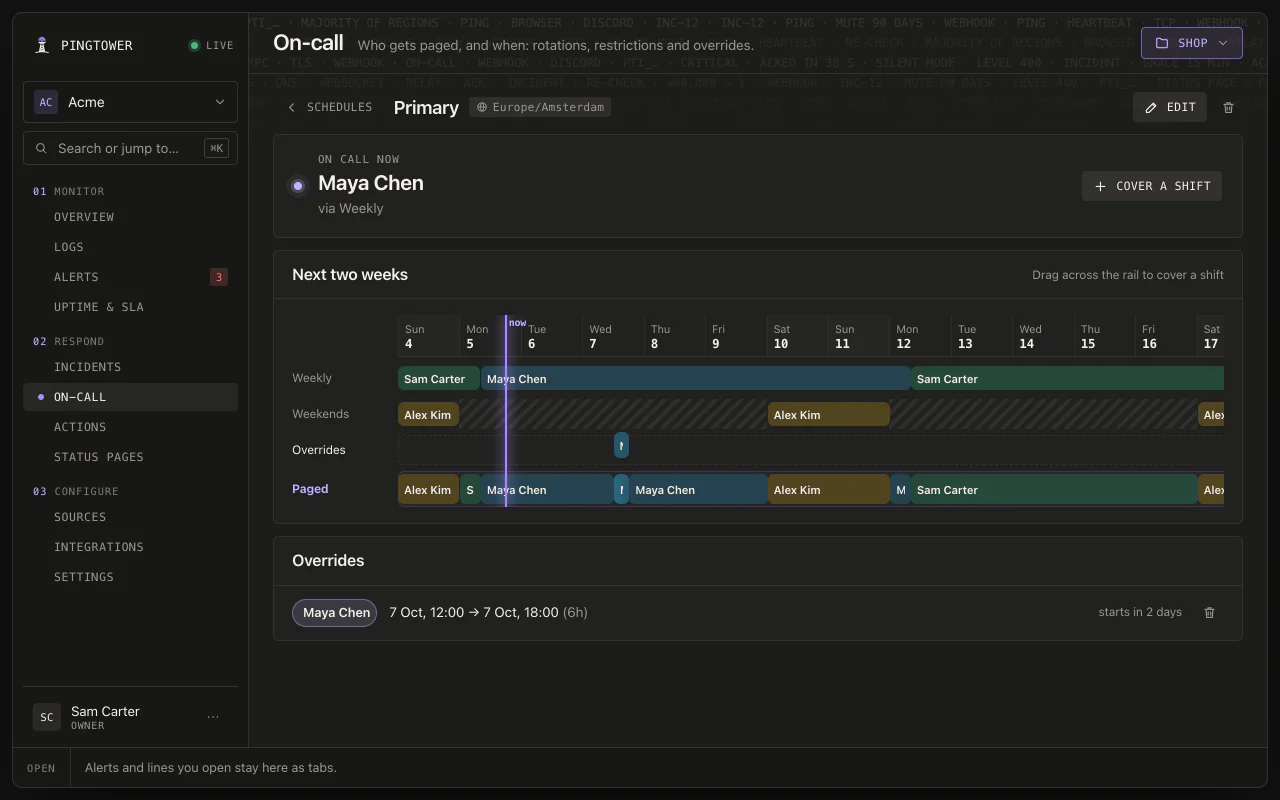
Rotations you can see
Who is on call now, and who's paged when for the next two weeks. One-off overrides cover swaps and vacations, and shifts stay DST-safe in the schedule's own timezone.
Escalation that doesn't give up
Ladders move an unacked alert up level by level — Slack first, on-call push later — repeating until someone acks. One ack stops it for everyone; quiet alerts auto-resolve.

Rings through Silent mode
Critical alerts on the iPhone app sound through the Silent switch and Focus, and one swipe acknowledges. On Android, the beta is a direct download; on a Mac, pages arrive as desktop notifications.
Delivery you can audit
Push, Slack, Telegram, Discord and signed webhooks. Every notification is a durable outbox row, delivered at-least-once and logged per integration — failing channels surface their errors.
Runbooks that run themselves
Attach an HTTP action to a rule and it fires the moment the alert opens or escalates — restart the worker, flush the queue, open a ticket. Or run it by hand, and test-fire it before you trust it.
4.0Tell customers
Page your team first. Then tell your customers.
Bind a status page's components to the checks and rules you already have. An outage shows once someone acknowledges it, or after 15 minutes, backdated to when it started — a blip that clears in a minute never shows at all.
Status pages →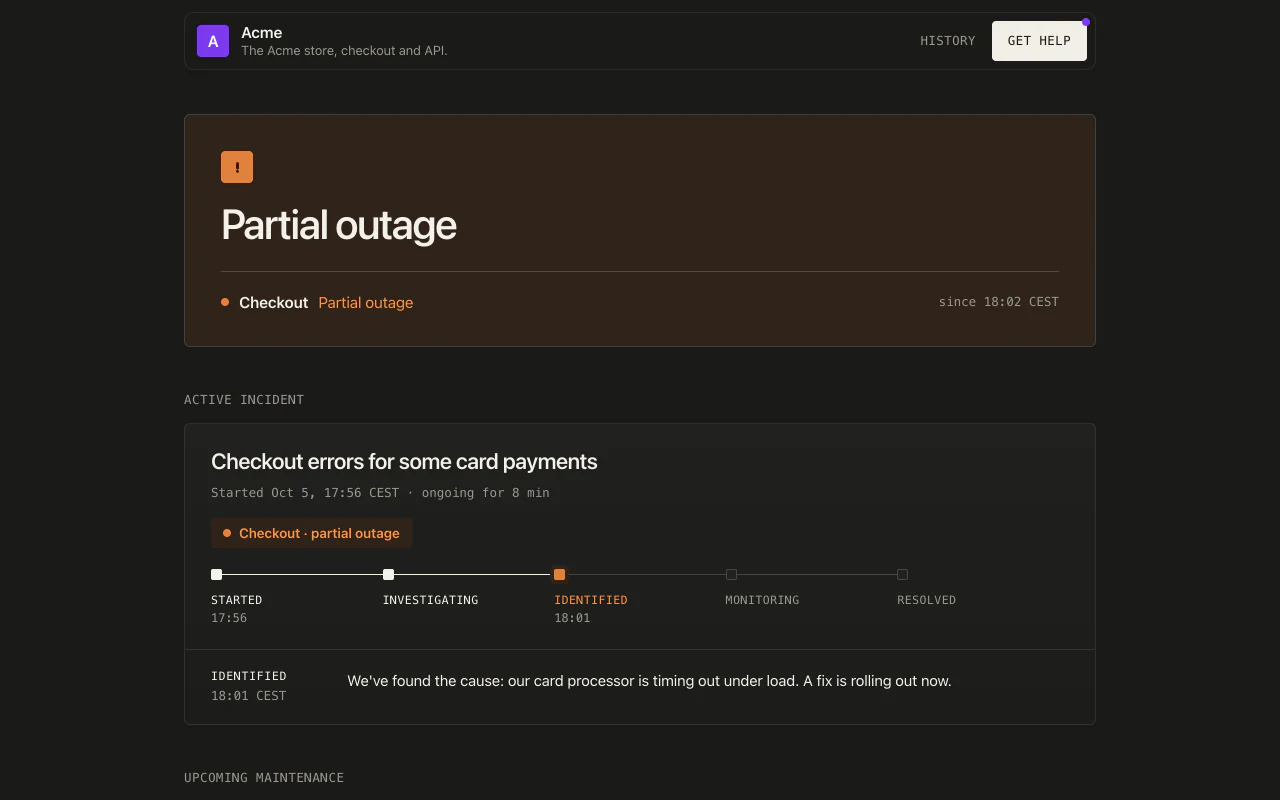
A status page that tells the truth
Public at your-name.ptwr.net or on your own subdomain, or members-only for your team, with 90 days of uptime bars, incident history, scheduled maintenance, badges and a banner for your own site.
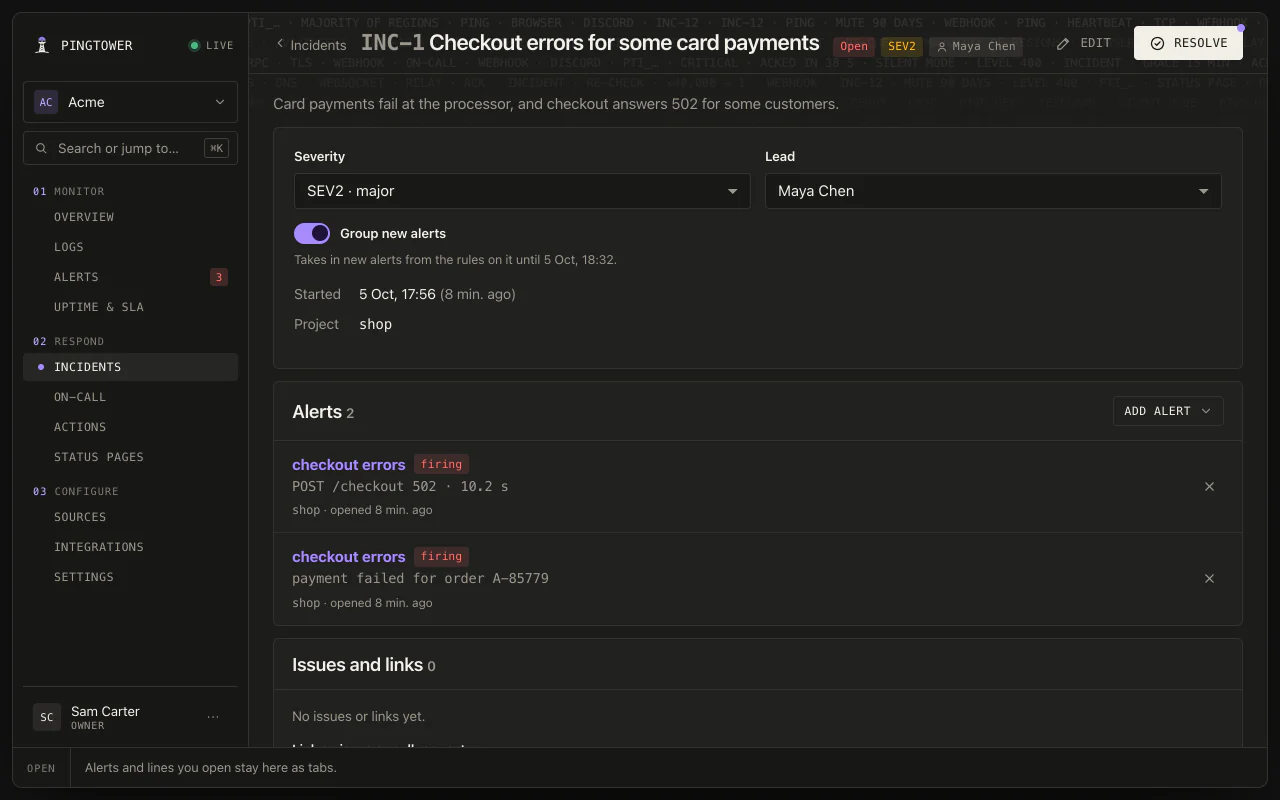
Incidents that keep the story
Numbered incidents with a lead, a severity, and internal notes kept apart from public updates. New alerts from the same rule join an open one, and nothing closes without a cause and a fix — the GitHub or GitLab issue gets both.
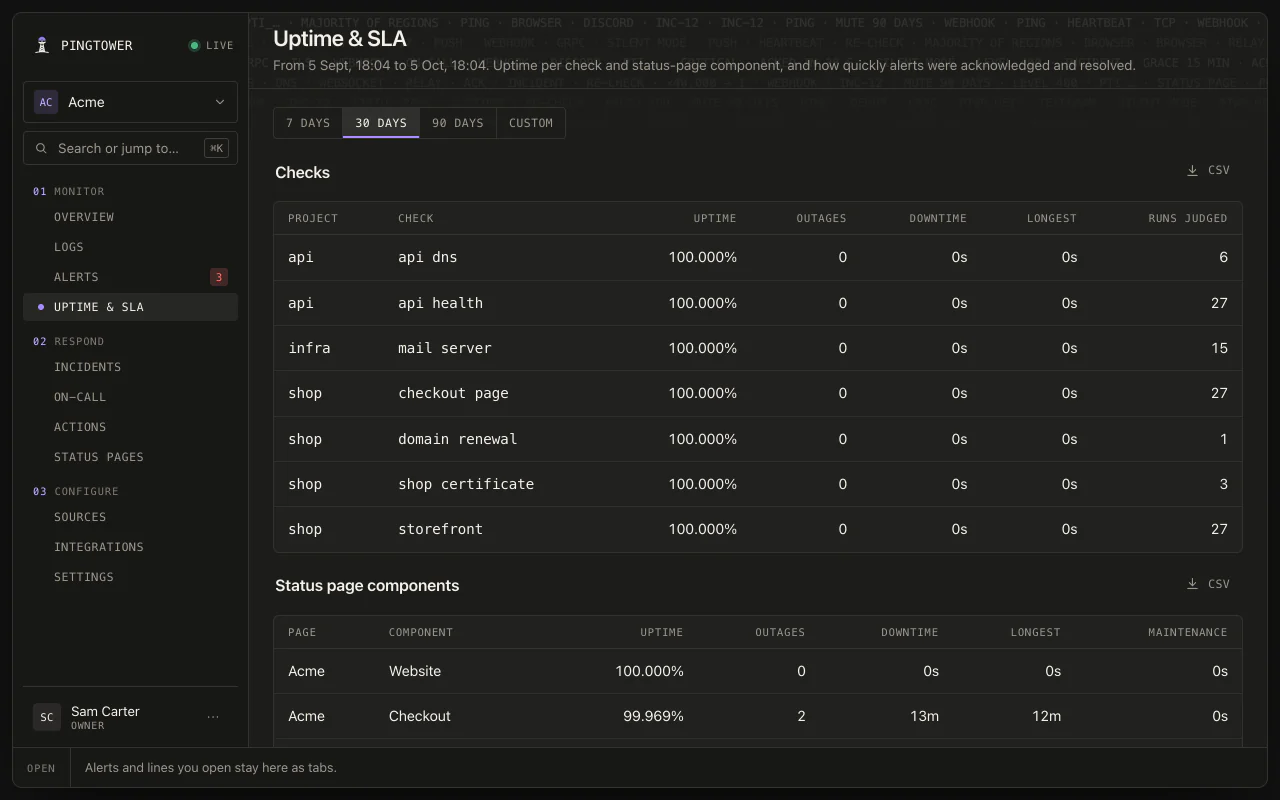
Uptime you can show
Uptime, outages and longest downtime for every check and component over 7, 30 or 90 days, or any range up to a year — maintenance left out. Mean time to acknowledge and resolve, and CSV for all of it.
5.0Around the alert
Everything you reach for once you've been paged.
Roles for the whole team, an assistant that can answer what's firing, and security where it counts — on our servers or on your own.
Documentation →5.1
Roles that fit your team
Owner, admin, member, responder and viewer — or up to 20 custom roles built from 47 permissions. Limit someone to the projects they work on, and they're only paged for what they can see.
5.2
Ask your AI assistant
Connect Claude or ChatGPT and ask what's firing, whether it fired before, and who's on call. If an owner allows it, it can ack, mute and draft an incident's resolution. It never publishes and never deletes. How to connect.
5.3
One view across projects
Every source, on-call schedule and integration the team has, in one list, with who is on call right now. Belong to several teams with one account and switch between them.
5.4
Paranoid where it counts
Tenant-supplied URLs pass an SSRF guard — no private ranges, no redirects, DNS rebinding pinned. Delivery secrets are AES-256-GCM encrypted at rest, and everything lands in an audit log.
5.5
A single binary on your PostgreSQL
Self-host one Go binary: each tenant gets its own PostgreSQL schema, or a SQLite file with nothing to set up. Ingest, rules, escalation, status pages and webhooks all run there; the phone apps' push is hosted by us.
5.6
Inside your own boxes
The signed addons agent runs on your Linux servers: disk, memory, pending security updates, SSH logins and firewall changes, with contents and usernames kept on the box. See the addons.
Zero to paged. In minutes.
Free while Pingtower is in preview · no credit card